- Home
- Blog
- Content ideas
- Comments into posts
Turn your comments into a week of Instagram posts
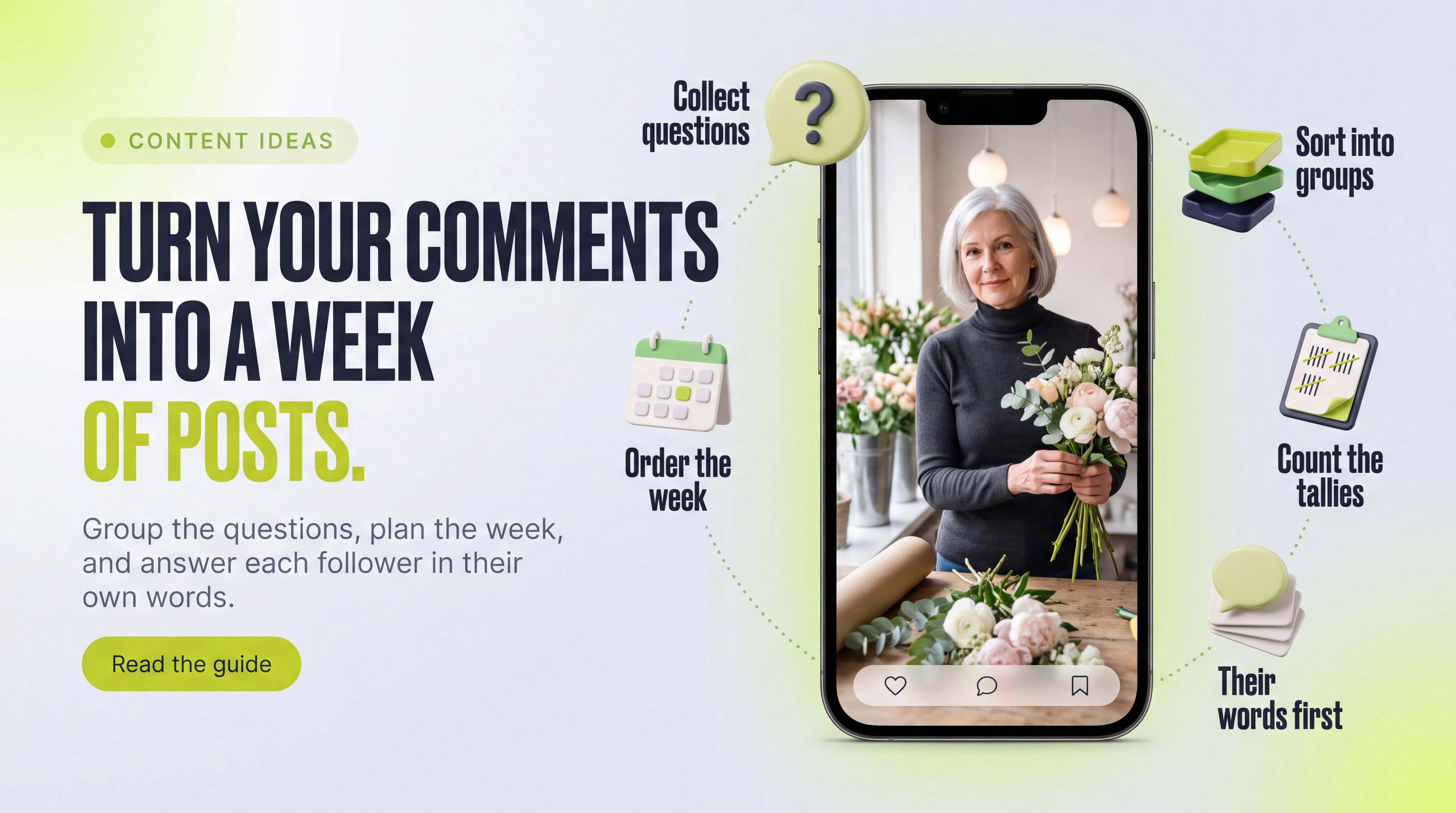
Collect the questions in your comments and DMs, sort them into three groups and plan a week of posts, each one answering a follower in their own words.
On this page
Do you do a gluten-free loaf, or is it only the sourdough?
Before you buyHow do you get the crust that crackly? Mine goes soft by the evening.
How-toIs that your oven in the back? It looks ancient!
About youCan I order a whole tray for a birthday on Sunday?
Before you buyFour comments, four post ideas. Each one is a question a follower cared enough to type, written in the words other followers would use. Most accounts answer them in the thread and move on, and the next week they sit down to a blank page and wonder what to post.
This guide shows how to keep those questions, sort them into three groups, and turn them into a week of posts. It works for a bakery, a clinic, a studio or a shop, because it starts from your own followers rather than from a list of trends. You need your comments, your DMs and about an hour.
Collect every question for a month
Start with the last month. Open your recent posts one by one and read the comments, then open your DMs and read those too. Copy every question into one list: a note on your phone, a sheet, or a notebook by the till. Copy the words as they were written, spelling included. The exact phrasing matters later, because it becomes the first line of a post.
Count a question as a question even when it has no question mark. "Wish I knew how you get that crust" is a question. So is "need this for Sunday". Count compliments that hide a question too: "love the new shelves, did you build them?" belongs on the list.
Leave out complaints and anything about one person's order or account. Those get a reply from a person, in private, and they never become a post.
Comments are one of the interactions Instagram counts on your content, next to likes, saves and shares.1 A comment with a question is the most useful of the four, because it tells you what the person wanted next.
Sort the list into three groups
A month of questions looks like a mess until you sort it. Three groups cover most lists, and each group points to a different kind of post.
| Group | What people ask | The post that answers it |
|---|---|---|
| How-to | How do you get the crust crackly? How long does the starter keep? | A carousel or a Reel that shows the steps, one step per slide or scene |
| Before you buy | Do you do gluten-free? Can I order for Sunday? | A single post or a carousel with the answer, the details and one next step |
| About you | Is that your oven? Who bakes at night? | A photo or a Reel of the people, the place and the work behind the product |
Put each question in one group. If a question fits two, pick the group of the post you would make for it. Then look at the counts. Most lists lean one way: a skincare studio gets mostly how-to questions, a bakery gets mostly before-you-buy questions, a new shop gets questions about who is behind it. The heavy group tells you where most of the week's posts should come from.
Inside each group, merge the questions that ask the same thing in different words, and keep a tally next to each one. "Gluten-free?" asked by four people is one question with a tally of four. The tally decides the order: the question asked most often goes first.
Pick the week's questions
You do not need every question for one week. Pick the ones with the highest tallies, with at least one from each group, so the week has a mix of teaching, selling and showing the people behind the work.
The rest stay on the list. A question asked once this month may be asked four times next month, so keep the tallies running. After two or three months the list shows which questions come back every season, and those become posts you plan ahead.
Turn one question into a post
Here is the method on a single question. A dental clinic's comments kept asking why gums bleed when people floss. The question goes on the first slide, word for word. Each slide after it carries one step. The last slide gives the answer and one next step.

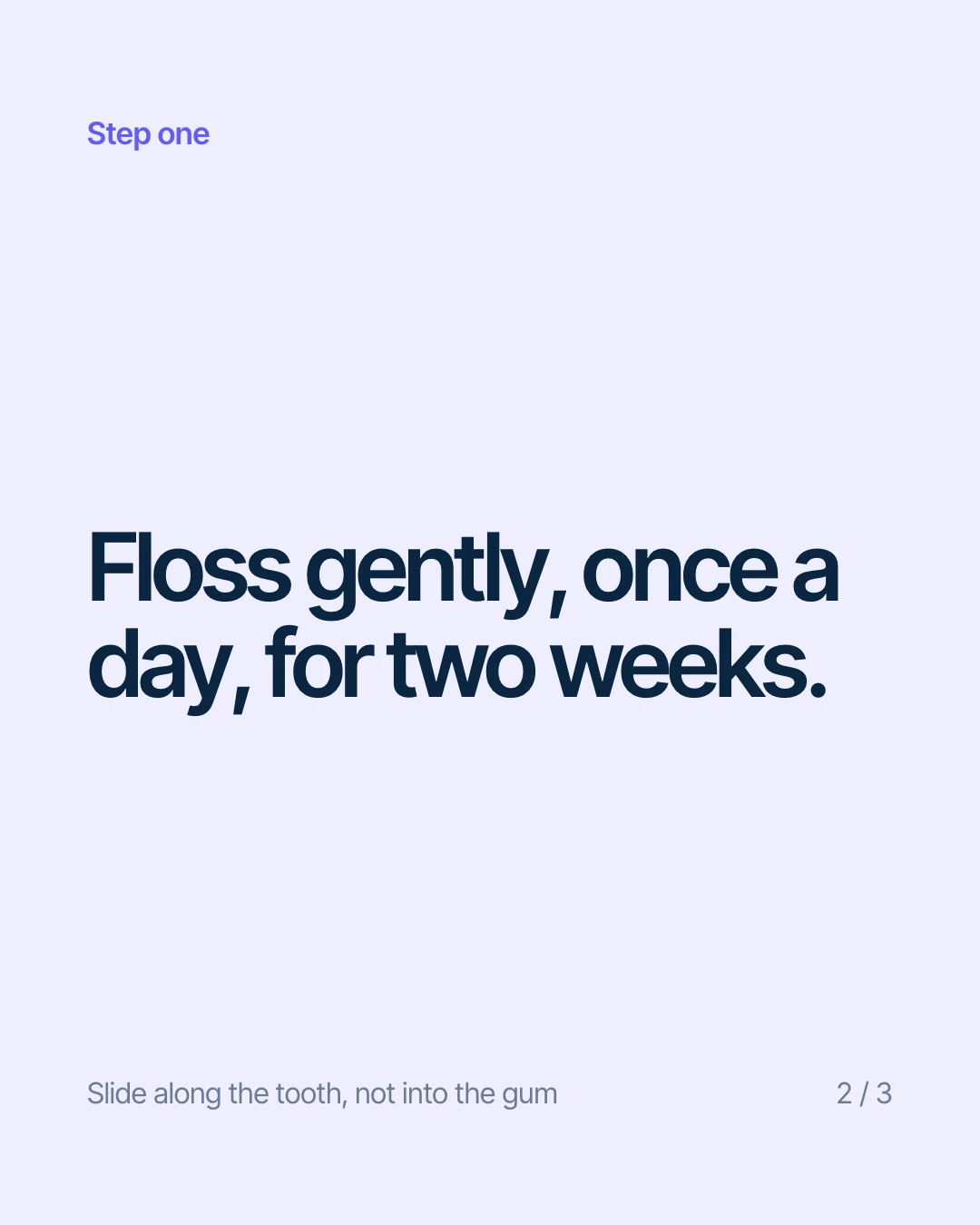

The same shape works for a how-to question at a bakery: the question on the cover, a photo of each stage on the slides after it, and the answer at the end. A before-you-buy question needs fewer slides: the answer, the details, and where to order. The Carousel Size tool crops every slide to the same shape.
When the question came in under a Reel, you can answer it with a new Reel that shows the comment on screen.3 The person who asked sees their question answered, and everyone else sees what was asked.
Write the first line from the question
The caption's first line does most of the work. People read it in the feed before they decide whether to stop, so it should carry the follower's question, or the answer to it. A caption can run long when the topic needs it: the limit is 2,200 characters.2 Most of that length sits behind "more", so the first line has to stand on its own. The Instagram Character Counter shows how long a draft has run and where the caption folds.
If you get stuck on the wording, the Caption Generator writes three versions from one sentence, each with a first line, the body and a question to close. Use it as a start and put your follower's words back in. For a short styled line in your bio that points to the new posts, the Font Generator gives the same text in several styles.
Do
- Start with the question as your follower wrote it, or with its answer.
- Answer the question inside the post, not only in the comments.
- Keep one question per post.
- End with one question back to your followers, so the next list starts filling.
Don't
- Open with a greeting or the name of the business.
- Promise an answer and hold it back for a later post.
- Answer three questions in one caption.
- Quote a DM without the sender's permission.
Put the week in order
Seven questions make a week, but the order changes how the week reads. Start the week with the question most people asked, because it has the widest audience. Put the before-you-buy posts on the days people plan, so a question about weekend orders goes up before the weekend, not on Sunday. Put the about-you post in the middle of the week, where it gives the selling posts a face.
| Day | Question | Post |
|---|---|---|
| Monday | How do you get the crust crackly? | Carousel: four stages, one per slide |
| Tuesday | Is that your oven in the back? | Reel: the oven at five in the morning |
| Wednesday | Do you do a gluten-free loaf? | Single post: the loaf, the days it is baked, how to order |
| Thursday | How long does a sourdough loaf keep? | Carousel: day one to day four, how to store it |
| Friday | Can I order a tray for a party? | Single post: the trays, the notice needed, one next step |
| Saturday | Who bakes at night? | Photo: the night baker at work |
| Sunday | What do you do with leftover bread? | Reel: three ideas from the team |
Post at the hours your followers are online, not the hours that suit you. The Best Time to Post tool lays your followers' active hours out as a weekly grid, and the guide on scheduling a week of posts in one sitting shows how to set the whole week up in advance.
Once a post has done well, keep it in view. Instagram lets you pin up to three posts to the top of your profile,4 so the answer to your most-asked question can sit where a new visitor looks first. To see your profile the way a new visitor does, pinned posts first, open it in the Instagram Profile Viewer.
Check what the week brought
After the week, look at each post's likes, comments, shares and saves. Saves on a how-to post mean people want to come back to it. New questions in the comments mean the post opened a topic you can follow up. Work out the engagement rate by followers for each post and compare it with your own average, not with other accounts.5
A post that beat your own average tells you two things: which group of questions your followers care about most, and which format carried the answer best. Next month, take more questions from that group and try them in that format first. The guide on what to post when your account stops growing uses the same reading over a month, and saving your answers to the questions that come back by DM keeps the inbox side of the work short.
Where ProfileScan fits
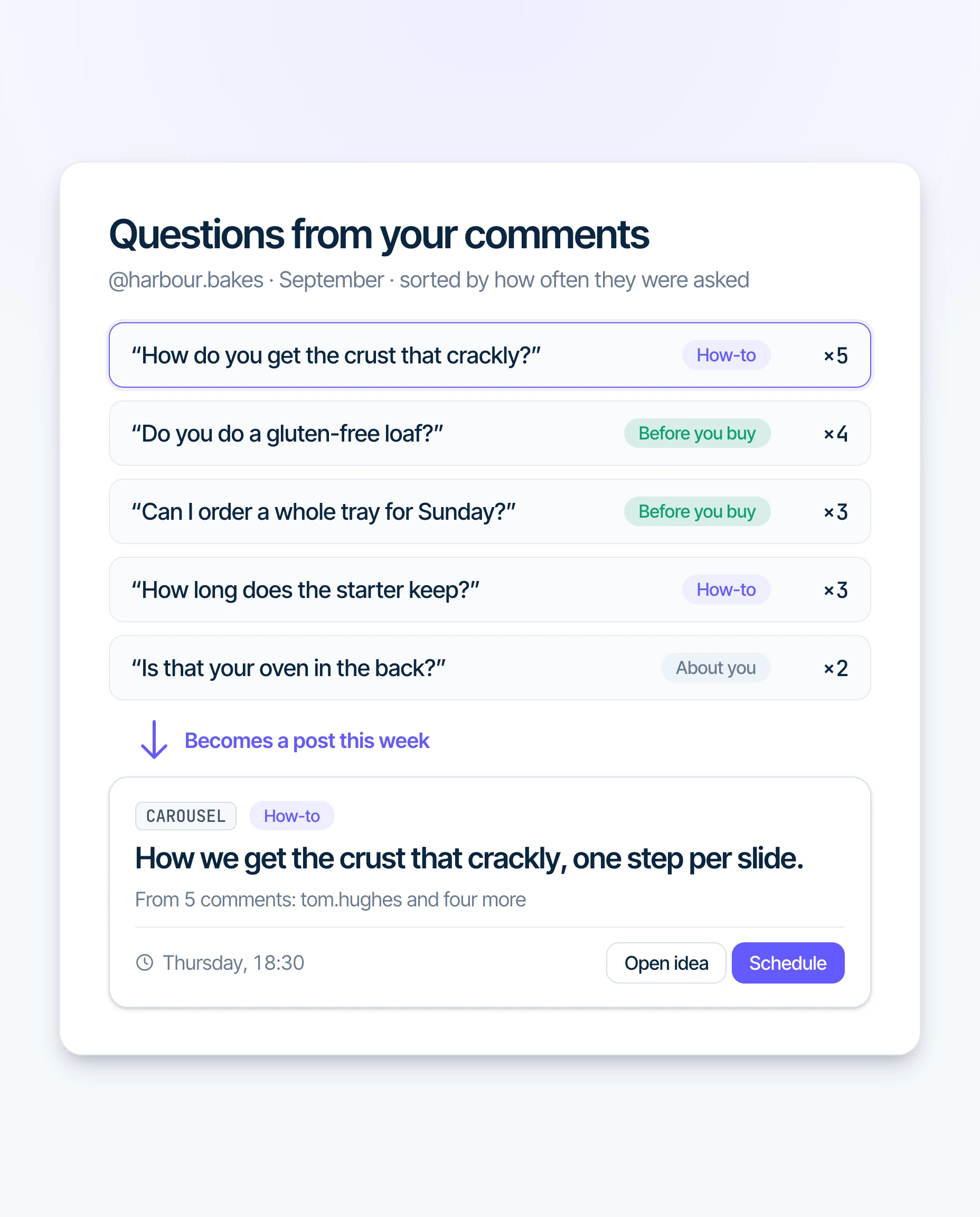
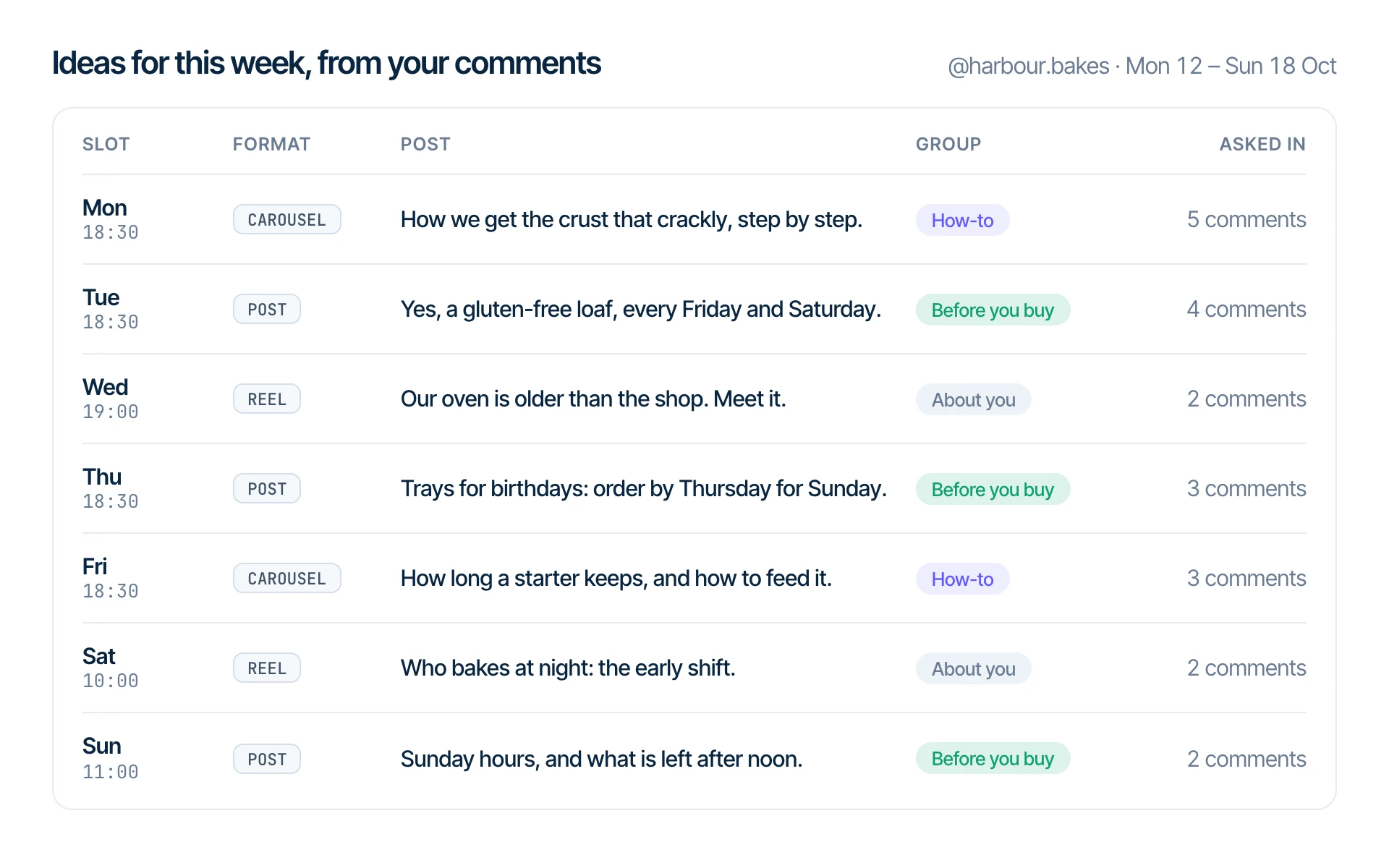
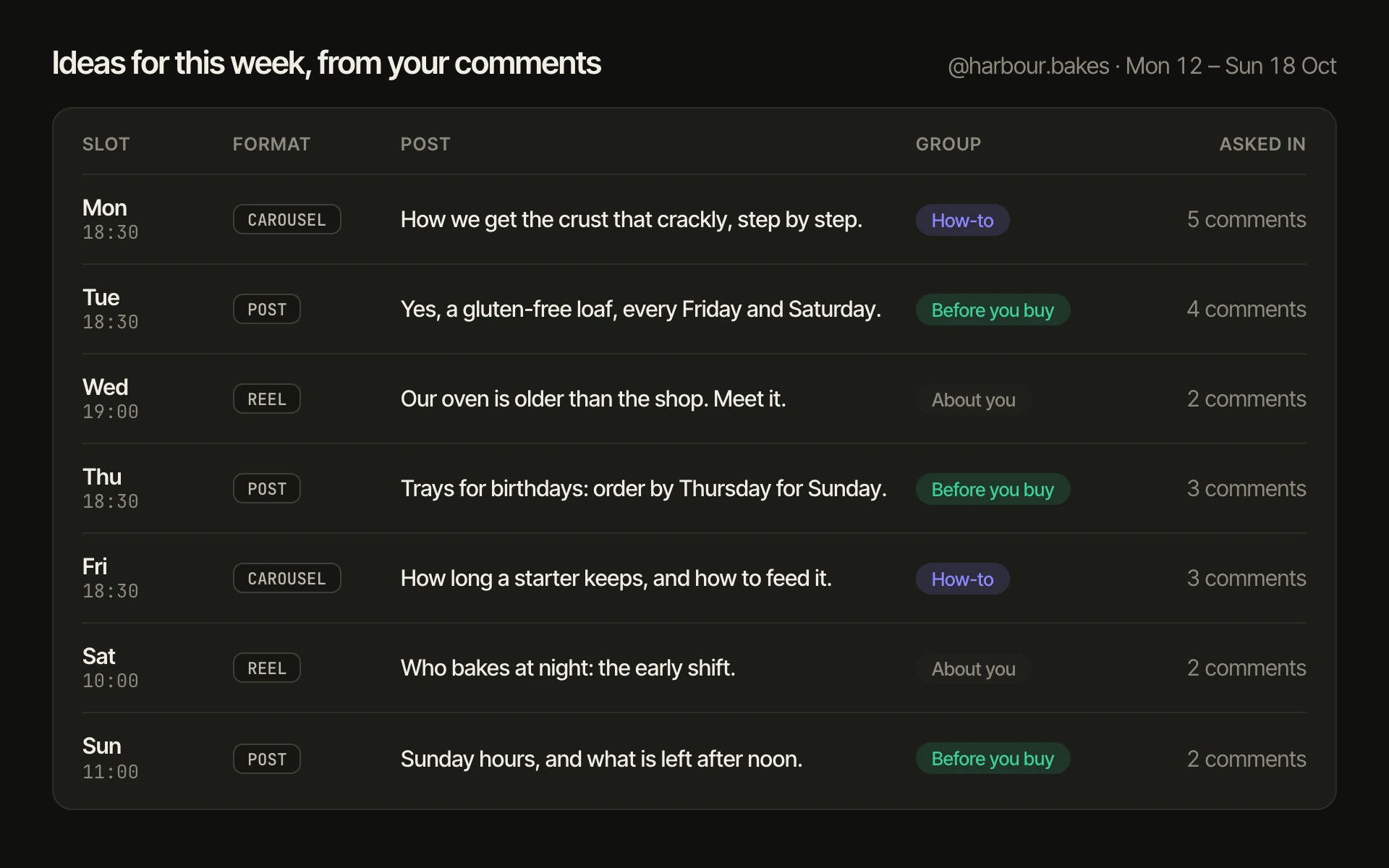
ProfileScan reads the comments and DMs on your own account, collects the questions, sorts them into groups and keeps the tallies. Its Ideas screen turns the top questions into the week's posts, each with the comments it came from and a suggested time. Nothing is posted until you approve it.
- Every question in a comment or a DM is a post idea, written in your follower's words.
- Sort the month's questions into how-to, before you buy and about you, and count how often each one comes back.
- Pick the week from the highest tallies, with at least one question from each group.
- Put the question, or its answer, in the first line, and answer it inside the post.
- Keep the list running: next month's questions come from this week's posts.
- Instagram Help Center: About Instagram insights, interactions are the likes, comments, saves and shares on your content
- Meta for Developers: Instagram Graph API, IG User Media, the caption limit of 2,200 characters
- Instagram Help Center: Reply to a comment on your reel with a new reel, answering one comment with a reel that shows the comment
- Instagram Help Center: Pin a post to the top of your profile, up to three pinned posts on a profile
- ProfileScan Engagement Rate Calculator, the engagement rate bands