- Home
- Blog
- Replies and DMs
- Negative comments
How to handle negative comments on Instagram without making them worse
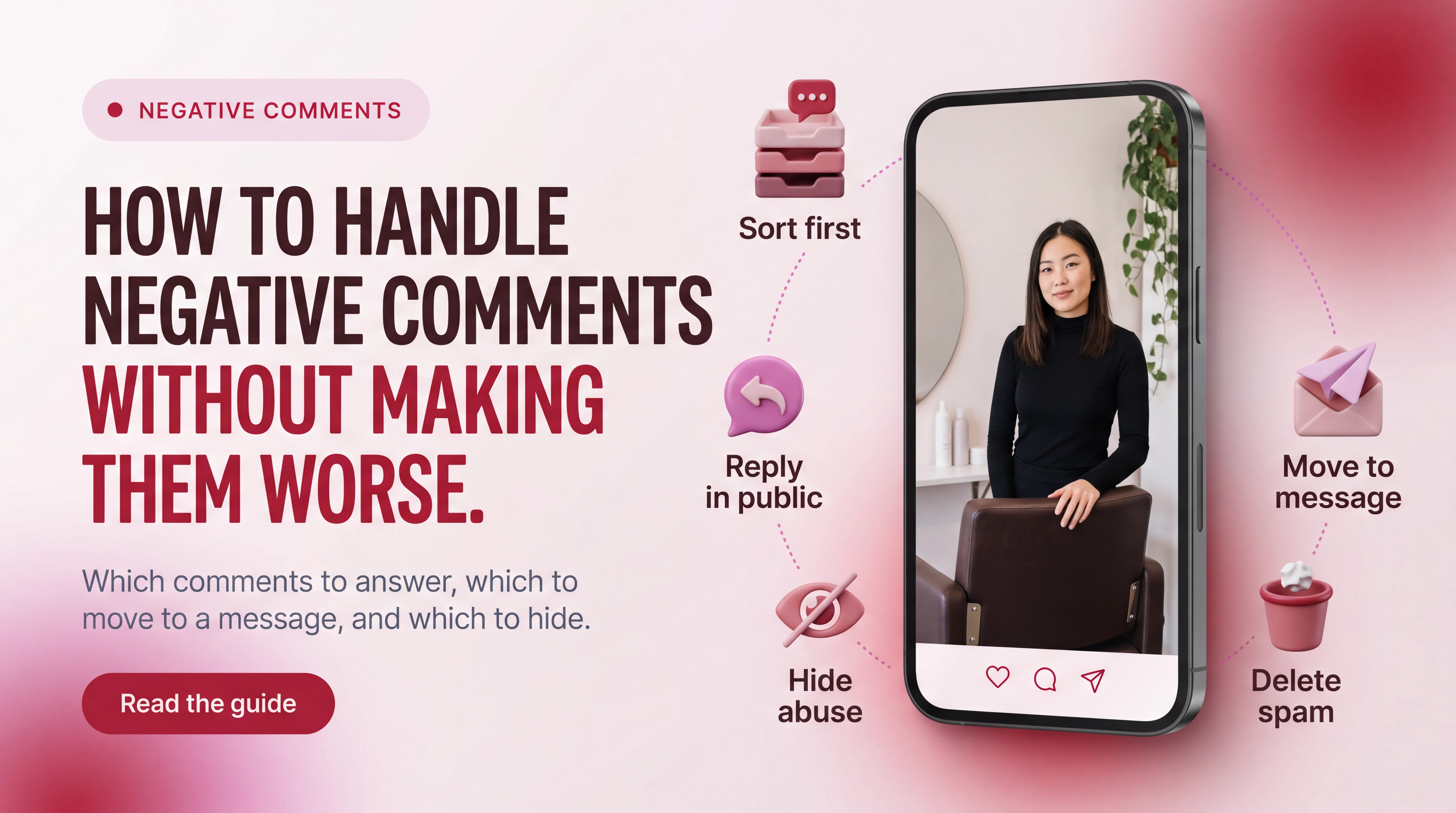
Which comments get a reply, which move to a message, and which you hide, restrict or delete, with the Instagram tool for each.
On this page
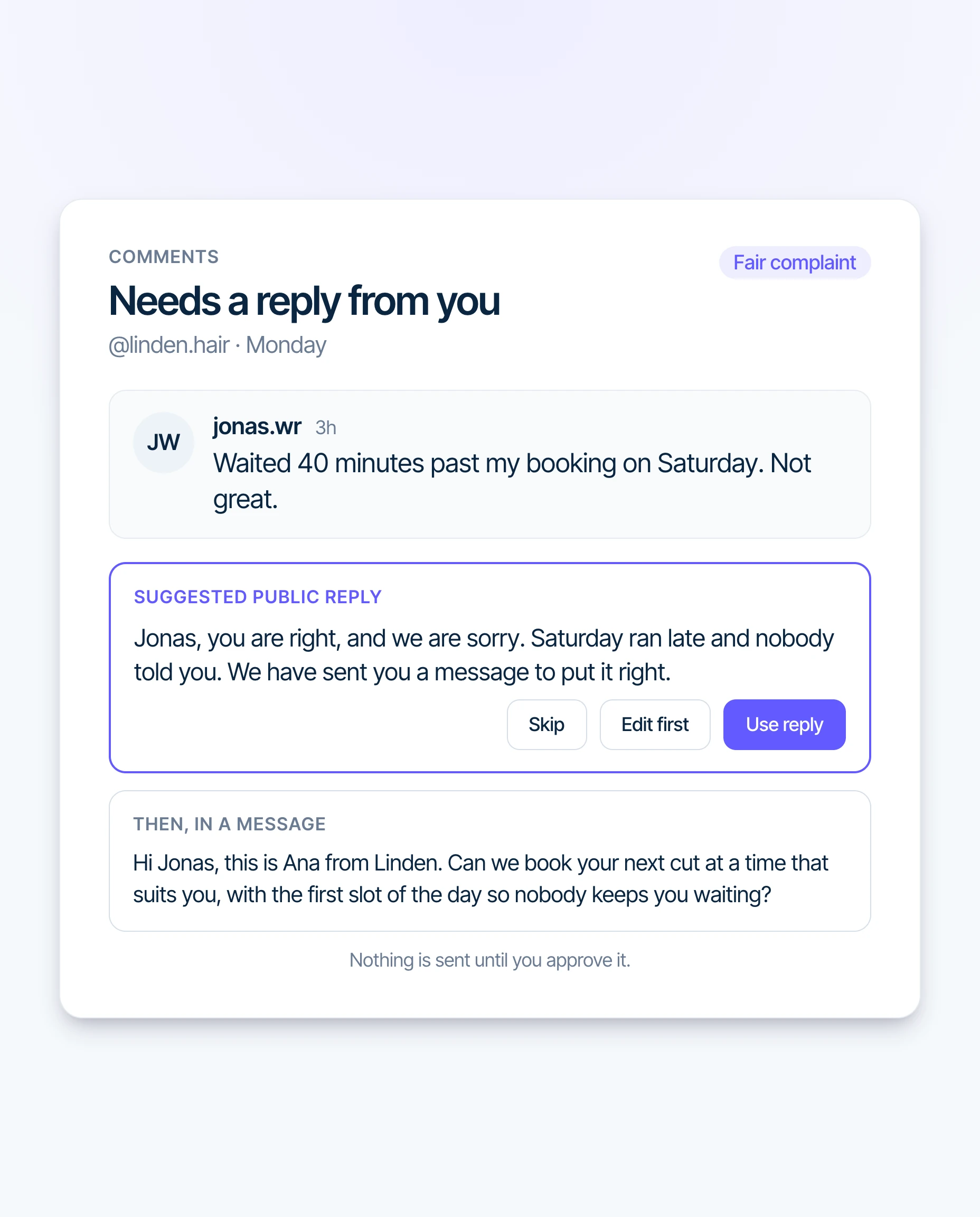
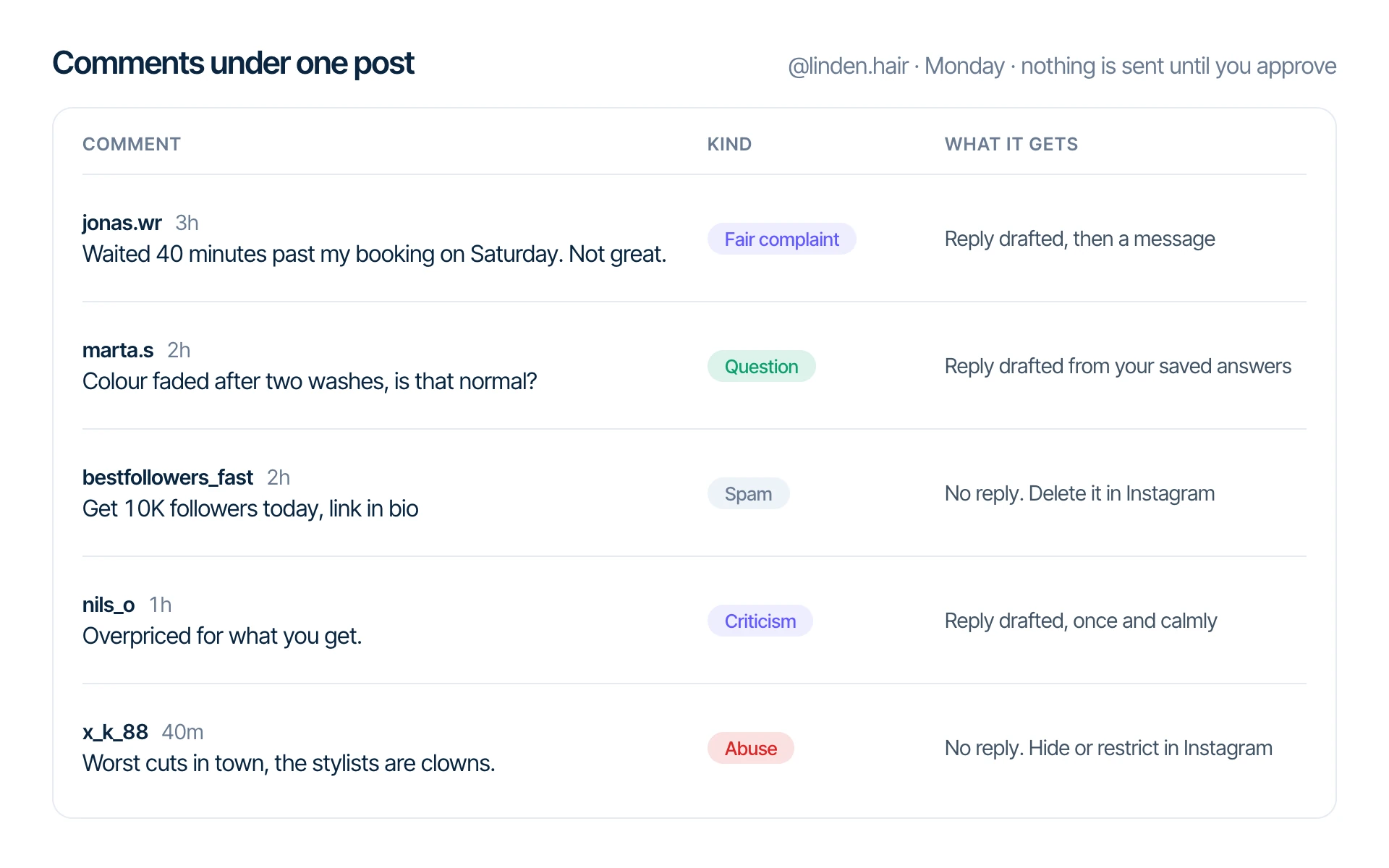
Waited 40 minutes past my booking on Saturday. Not great.
Fair complaintColour faded after two washes, is that normal?
QuestionGet 10K followers today, link in bio
SpamOverpriced for what you get.
CriticismWorst cuts in town, the stylists are clowns.
AbuseFive comments under one post, all of them unwelcome on a Monday morning. They are not the same kind of comment, and they should not get the same treatment. One is a fair complaint from a client who was let down. One is a question that sounds like a complaint. One is spam. One is an opinion about price. One is abuse aimed at the staff.
The usual mistakes come from treating them alike: deleting all five to keep the post clean, or answering all five in the same defensive tone. The first hides a real problem and tells the client who raised it that nobody cares. The second turns a single complaint into a public argument that every later visitor reads.
This guide sorts negative comments into kinds, gives each kind its own response, and shows which Instagram tool to use when a comment should not stay on the page.
Sort it before you answer. A fair complaint gets a short public reply that owns the problem, then a private message to put it right. A question gets an answer. Criticism gets one calm reply, once. Abuse gets hidden or the account restricted, and spam gets deleted. Never delete a fair complaint.
Sort the comment before you answer
Read each comment twice, once for what it says and once for what the person wants. Most negative comments fall into one of five kinds, and the kind decides the response.
| Kind | How to spot it | What it gets |
|---|---|---|
| Fair complaint | A real client, a specific event, something that went wrong | A public reply that owns it, then a message |
| Question that sounds like a complaint | Ends with a question, or asks whether something is normal | A plain answer, in public, where others can read it |
| Criticism | An opinion about price, taste or style, without a specific event | One calm reply, once; no argument |
| Abuse | Insults, slurs or attacks on staff or other followers | Hide it, restrict the account, report it if it breaks the rules |
| Spam | Offers, links, follower sales, accounts with no posts | Delete it; block the account if it comes back |
Look at the account as well as the words. A comment from someone who follows you, has booked before or has written to you in messages is a client, even when the tone is sharp. A comment from an account with no posts, a name of random letters and a link in the bio is rarely a client, whatever it says.
When a comment fits two kinds, answer the stronger one. "Colour faded after two washes, is that normal?" reads as a complaint and is a question: answer the question, and if the answer shows something went wrong, move the conversation to a message.
Reply to a fair complaint in public, then in a message
The public reply has one job: show that a person read the complaint and is acting on it. Keep it short, use the client's name, say what went wrong in your own words, apologise once, and say what happens next. Leave out the explanation of why Saturday was busy; the client does not need it, and in public it reads as an excuse.
Then move the details to a message. Bookings, refunds and anything about one person's own case belong in private, where you can ask for details and offer something specific without the whole account watching.
Answer within the same working day if you can. A complaint left without a reply for days reads as ignored, and other followers add to it in the meantime. When the client replies with thanks or the problem is solved, it is fine to add a short line under the original comment to close it off, so later readers see how it ended.
Write the reply in a notes app or the Caption Formatter first, read it once as the client, and then paste it in. A reply typed in the comment box in a hurry is the one most likely to sound defensive.
The guide on answering the same DM question once explains why complaints never get a saved answer. The same applies here: each fair complaint gets a reply written for that client.
Answer criticism once, then stop
Criticism about price, style or taste is an opinion, not an event. Reply once, calmly, with a fact the reader can use: what the price includes, who the service is for, where to see the work. Do not argue the point and do not reply a second time if the person comes back with more of the same. Other followers judge the exchange by your first reply, not by who has the last word.
Hide, restrict, limit or delete
Some comments should not stay where everyone can read them. Instagram gives a business account several tools for that, and each one does something different.
Hidden Words hides comments and message requests with offensive words, phrases or emojis, and automatic hiding is on by default.1 You can add your own list of words, phrases and emojis to hide, and turn on advanced comment filtering for spam and offensive comments. Comments from people you follow, and who follow you, are not hidden by the advanced filter. The person who wrote a hidden comment is not told, and hidden comments still count in the post's total.1 Find it under ProfileMenuSettings and activityHidden Words.
Restrict is for one account that keeps causing trouble. Once you restrict someone, their new comments on your posts are visible only to them, and their messages move to message requests.2 You can approve a comment if you want others to see it.
Limits is for a wave, when many accounts arrive at once after a post is shared somewhere hostile. It hides comments and messages from accounts that are not on your close friends list, or from accounts that followed you recently, for up to four weeks at a time, without them knowing.3
Delete removes a comment for good. Use it for spam and for comments that break Instagram's rules. Instagram also lets you select up to 25 comments at once to delete, block or restrict the accounts behind them, which helps when spam arrives in a batch.4
| Others stop seeing it | The person is told | Covers their future comments | You can undo it | |
|---|---|---|---|---|
| Reply in public | Yes | Yes | ||
| Hide with Hidden Words | Yes | Yes | Yes | |
| Restrict the account | Yes | Yes | Yes | |
| Turn on Limits | Yes | Yes | Yes | |
| Delete | Yes |
Report a comment when it goes beyond rude. Instagram's Community Guidelines cover hate speech, credible threats and content that targets private people to shame or harass them.5 Report it from the comment, then hide or delete it so your followers do not have to read it while the report is reviewed. Take a screenshot first if the comment is aimed at a member of staff; you may need it later.
When the comments come in a wave
Most accounts never see one. When it happens, it is usually after a post is shared by a larger account, a local news story, or a review that travels. The steps below keep the account calm while it passes.
- First hourTurn on Limits
Hide comments from accounts that followed recently while you read what is being said.3 Your regular followers can still comment.
- Same dayPost one reply
If the wave is about something real, write one public reply that owns it, pin it to the top of the post, and point people to it rather than answering each comment.4
- Same dayHide and delete
Delete spam in batches and hide abuse. Leave fair complaints from real clients up and answer them.
- Next daysKeep posting
Post as you planned. Silence reads as hiding; a normal week of posts shows the business is open.
- After the waveTurn Limits off
Switch it off when the comments return to normal, and read through what was hidden in case a real client was caught.
Learn from the month's comments
Negative comments are a small share of most accounts' comments, and the share is worth knowing. Once a month, count the comments by kind. The count shows whether complaints are rising, which questions keep coming back, and how fast fair complaints were answered.
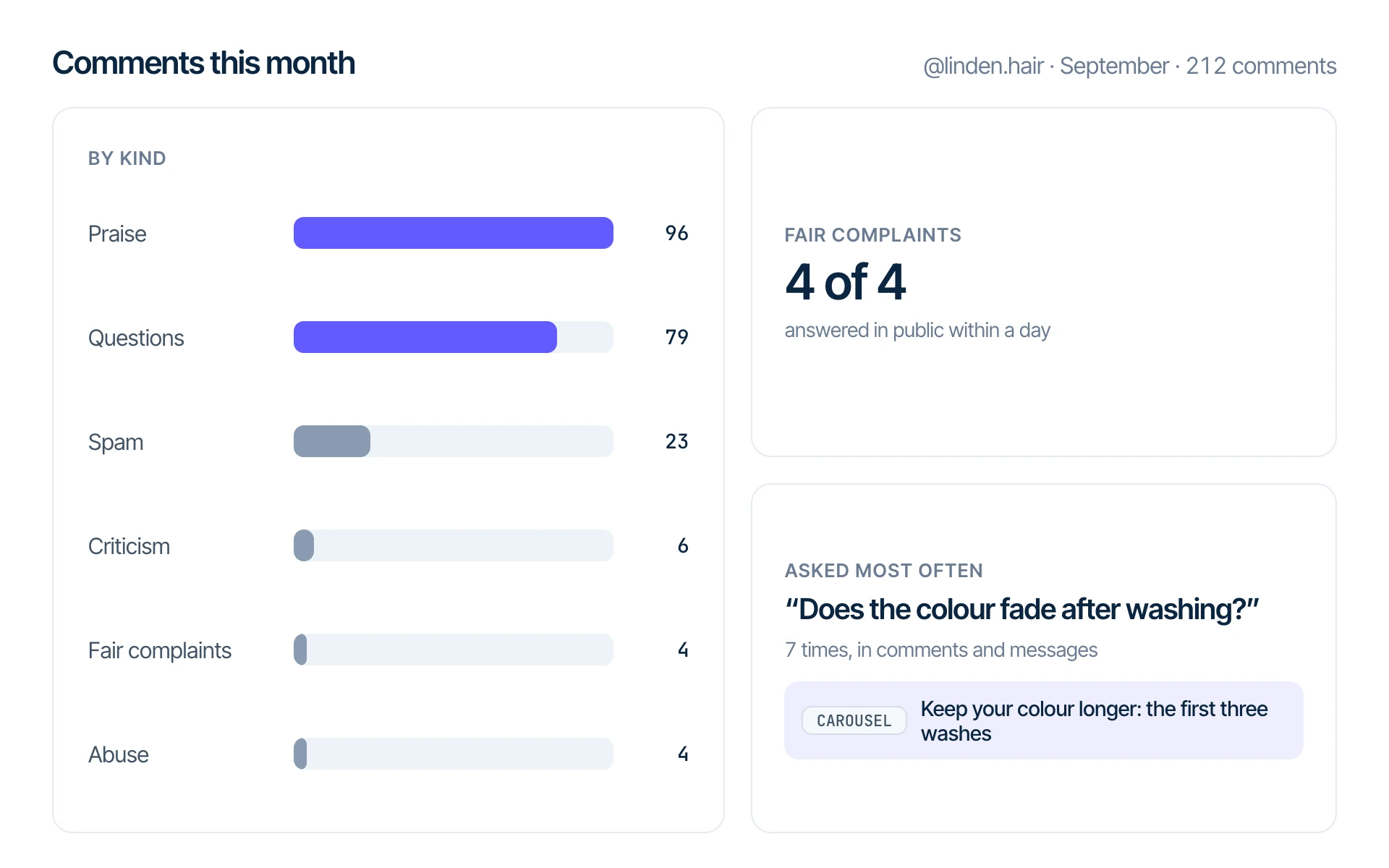
The question that sounded like a complaint came back again and again. That makes it a post: a carousel on keeping colour longer answers it once for everyone and turns a worry into a reason to book. The guide on turning your comments into a week of posts shows how to sort such questions into a week, and the Post and Reel Ideas tool turns one into a hook, scenes and a caption start. Check how the post did with the Engagement Rate Calculator, and read the guide on what counts as a good engagement rate for your account size before you compare it.
Where ProfileScan fits
ProfileScan's inbox puts comments and messages in one list. For a fair complaint or a question, it drafts a reply with the person's name for you to use, edit or skip. For spam and abuse it drafts nothing and leaves the decision to you in Instagram. Nothing is sent until you approve it.
Do
- Read the comment twice and sort it before you answer.
- Use the person's name and own the problem in one short reply.
- Move bookings, refunds and personal details to a message.
- Hide abuse and report it when it breaks the rules.
- Turn a question that keeps coming back into a post.
Don't
- Delete a fair complaint from a client.
- Explain at length why it was not your fault.
- Reply more than once to the same criticism.
- Answer abuse in kind, or ask other followers to defend you.
- Leave a complaint without a reply until the next week.
- Sort every negative comment by kind before you answer it.
- A fair complaint gets a short public reply that owns it, then a message.
- Criticism gets one calm reply; abuse is hidden or restricted; spam is deleted.
- Count the month's comments by kind and turn the question that keeps coming back into a post.
Should I delete negative comments on Instagram?
Does the person know when I hide or restrict their comment?
Should I reply to a negative comment in public or in a message?
What if the comment is from a competitor or a fake account?
Can I turn off comments on a post?
- Instagram Help Center: Restrict or unrestrict someone on Instagram, a restricted person's new comments are visible only to them; their messages move to message requests
- Instagram Help Center: Limit unwanted interactions, hide comments and messages from accounts that are not close friends or that followed recently, for up to four weeks at a time, without them knowing
- Instagram: Continuing our work to fight online bullying, manage comments in bulk (up to 25 at once, with block or restrict), and pinned comments; 12 May 2020
- Instagram Help Center: Community Guidelines, what Instagram removes, including hate speech, threats and content that targets private people; how to report