An account stops growing when its posts still reach people but fewer of them choose to follow. The guides on this page treat that as a question about your own account, answered from your own numbers, rather than a problem to fix with more posts or a new style.
Read the numbers first
Before changing anything, look back over the last three months. Three readings matter most: which posts brought follows rather than likes, which questions people asked in comments and DMs, and at what hours your followers open the app. Your insights show all three on a professional account. Compare the results with your own earlier months, never with other accounts: a clinic, a bakery and a studio reach different people at different times.
Plan in weeks, judge after a month
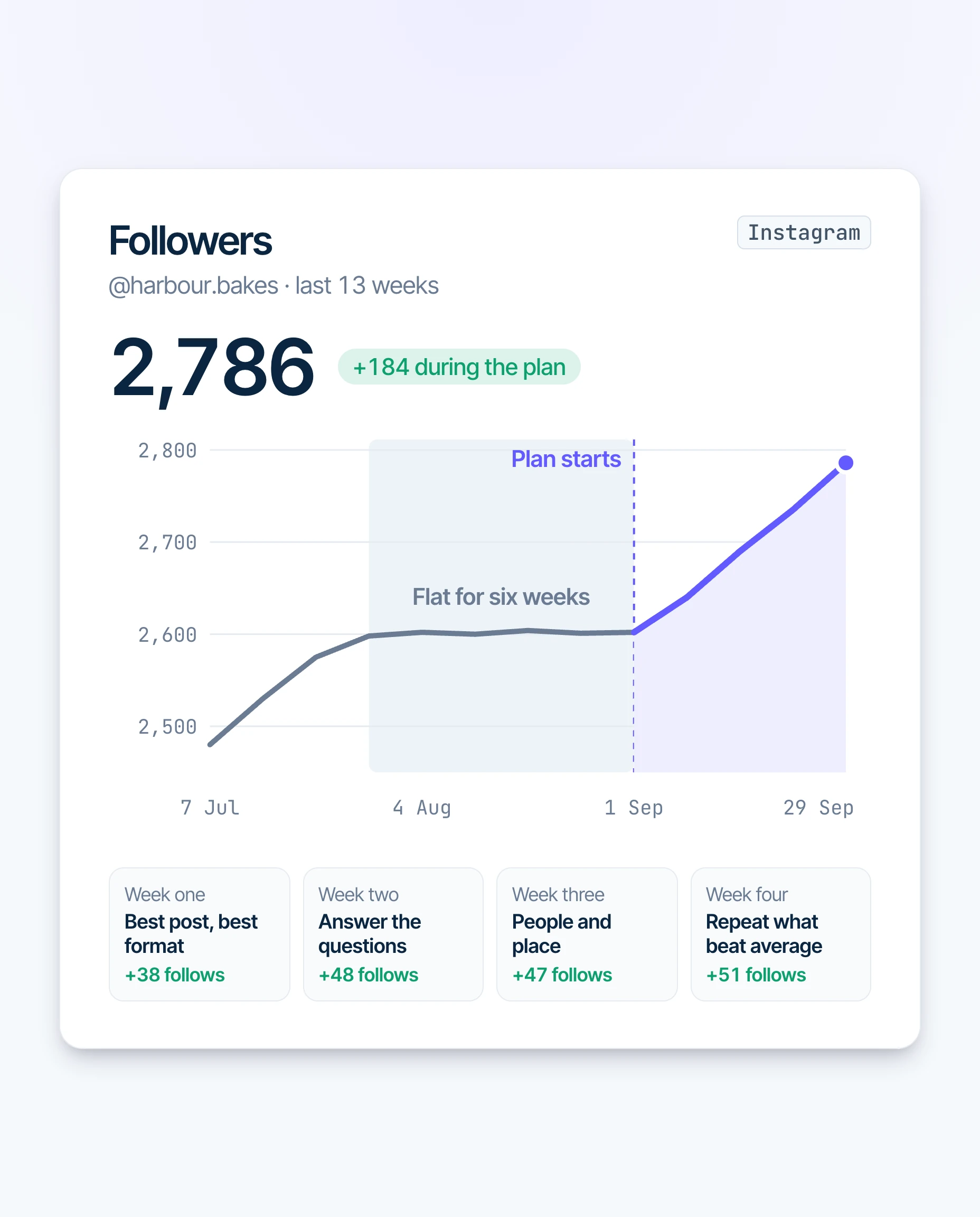
A plan for a stalled account changes what you post and when, not how much. Each week gets one job: remake the best subject in the best format, answer the questions people asked, show the people and the place behind the work, then repeat whatever beat your average. A single week moves with holidays and news, so the plan runs for four weeks before you judge it.
Keep what works
Growth that returns is easy to lose by changing everything at once. Keep the posting days and hours that worked, keep answering the questions in your comments, and test one change at a time against your own average. The guides here say which number to watch for each change, and how to tell a good week from a lasting trend.
Engagement Rate Calculator
Type in your numbers and see your engagement rate by followers, and where it sits on the general guide many marketers use. No sign-up.
Open the calculatorQuestions
How do I know my account has stalled?
Where do I start?
See what your own account is asking for.
The free account check reads your posts and comments and lists what to post next.